
Schematic
Schematic
Placeholder introduction for schematic. Final copy lands with #718.
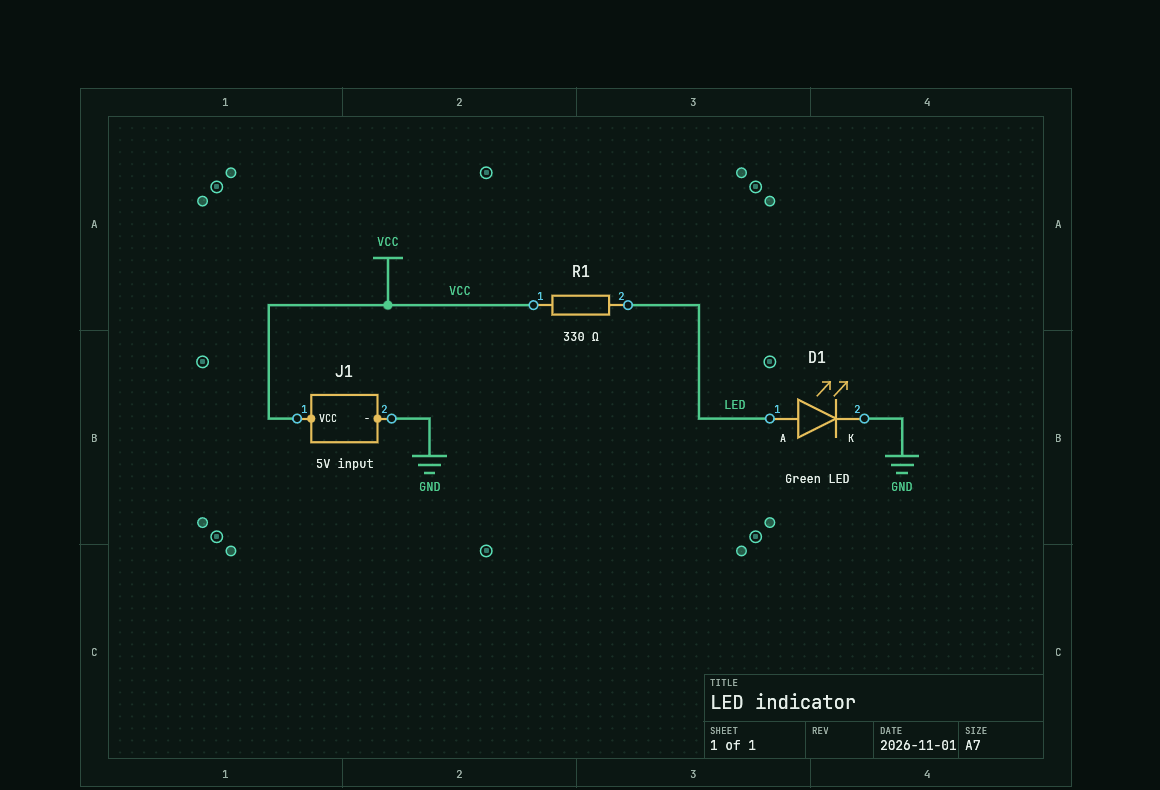
What is in this area
Wires and buses
Desktop and browserDraw free-form wires with your own vertices, and multi-net buses named like DB*8.
Proof: command wire.drawcommand wire.draw_bus
Pages and hierarchy ports
Desktop and browserAdd named schematic pages and hand a net from one page to another with a port.
Proof: command schematic.new_sheetcommand schematic.place_port
Labels and no-connect flags
Desktop and browserName nets with labels and mark pins that are meant to stay unconnected.
Proof: command label.placecommand pin.no_connect
Parts table on the sheet
Desktop and browserDraw a table of every component and its properties as ordinary graphics.
Proof: command schematic.table
Net chain walk
Desktop and browserFollow a net from a pin through two-pin parts in series and see where it ends.
Proof: command net.chain
Code 39 barcodes
Desktop and browserDraw a Code 39 barcode of up to 48 characters as bar graphics.
Proof: command barcode.place
Power and ground ports that move with their net
AvailableDrag a power or ground port and the wires that touch it follow, in one undo step; drop one on a pin and it connects.
Proof: test a_newcomer_moves_a_power_port_and_its_wire_followstest a_newcomer_drops_a_power_port_on_a_pin_and_it_connects
Move a wire end
Desktop and browserMove one end of a wire to another pin or onto another wire, and the nets the move joins are merged.
Proof: command wire.reconnect_end
Page properties
AvailableEach page has a Properties section with its title block fields and a list of its power symbols, net labels and buses.
Proof: file crates/ui-egui/src/pages.rs
Preview before you place
AvailableAdd tools show a translucent preview of the item under the pointer on the schematic and the layout.
Proof: test a_newcomer_sees_a_shape_tool_under_the_pointertest a_newcomer_sees_a_library_part_painted_like_the_library_preview